PoC: Interactive Game-on-the-Wall with Livestream
You might know about the Re.Light International Light Art Festival here in Regensburg, where light art projects are shown on house walls, on or in churches and elsewhere. As a visitor, one can walk through the city at night and get various impressions (tours available, too).
While the city was preparing for Re.Light 2026, our local GameDev Club (GDR e.V.) was approached by two artists (Christina and Josef from ITSHE KOLLEKTIV). Their idea was to create a “game with live stream backdrop” that could be projected to a house wall and enables bystanders to interact with it via cellphone.
We formed a small GDR e.V. project team (Flo, Jakob and myself) to create a PoC (Proof-of-Concept) for the game.
Note that this game project was/is not part of the Re.Light festival (not yet, maybe? 😁) and is also not available anywhere for public evaluation.
The Application Idea
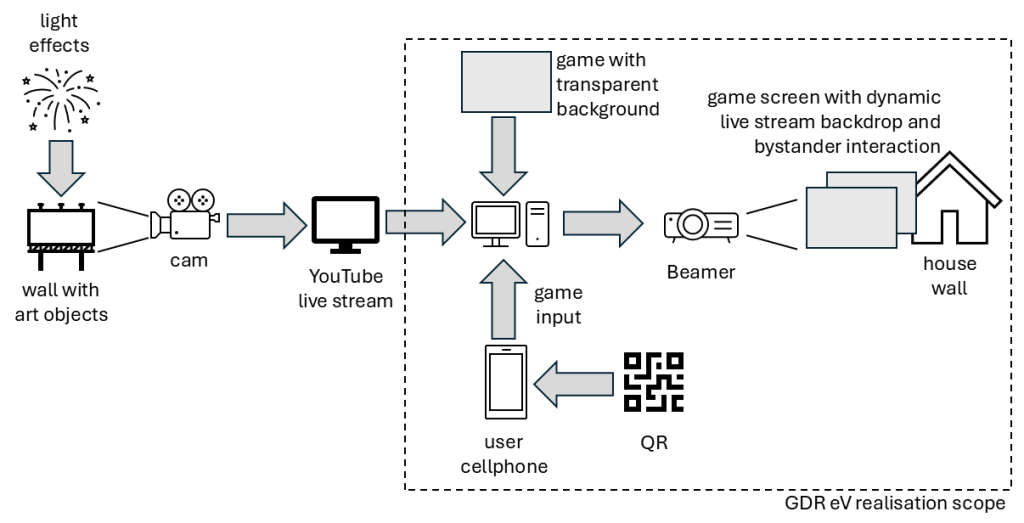
There is an existing art installation in an office building where dynamic colored light is applied to a wall with art objects. The resulting picture is forwarded to a YouTube livestream. All that was already set up and not part of our implementation.
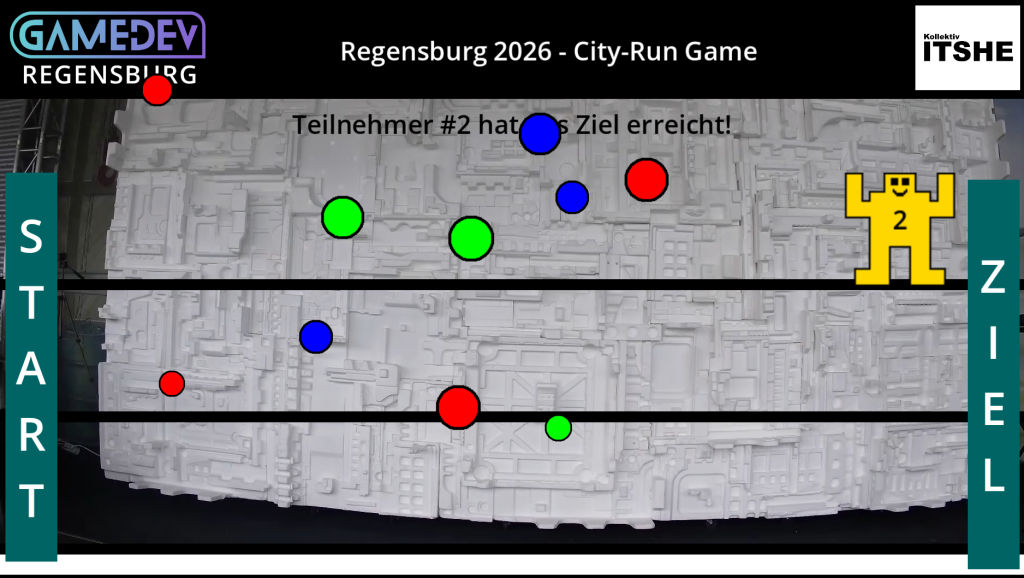
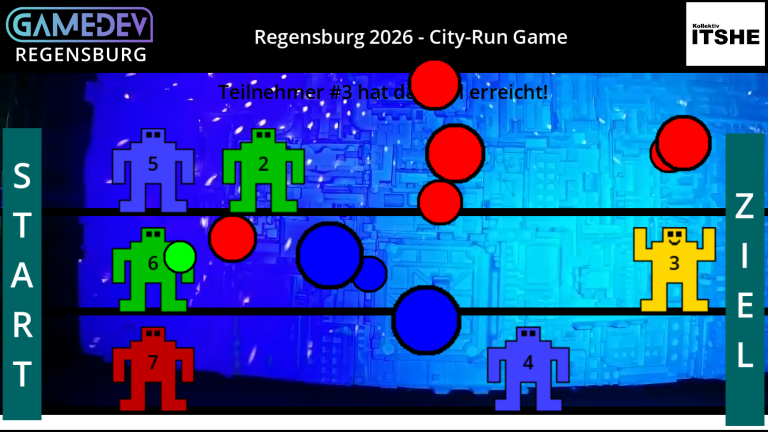
The available dynamic video stream should be used as backdrop for a game. The game (aka “host“) should then be projected to a house wall. Bystanders watching this “game-on-the-wall” should be able to interact with the application by downloading an app (aka “user-app“) via QR-Code, thus “play the house-wall game”.
Tech Selection
Host
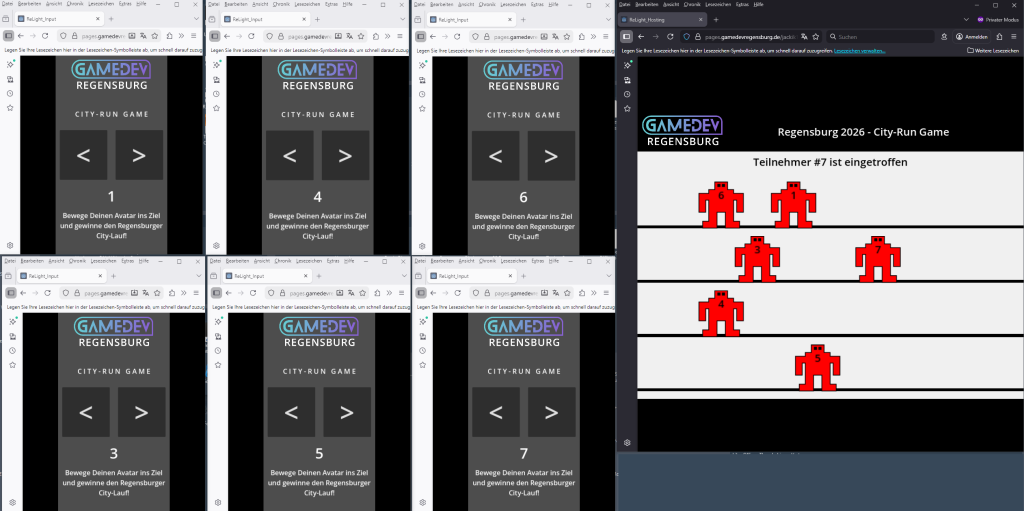
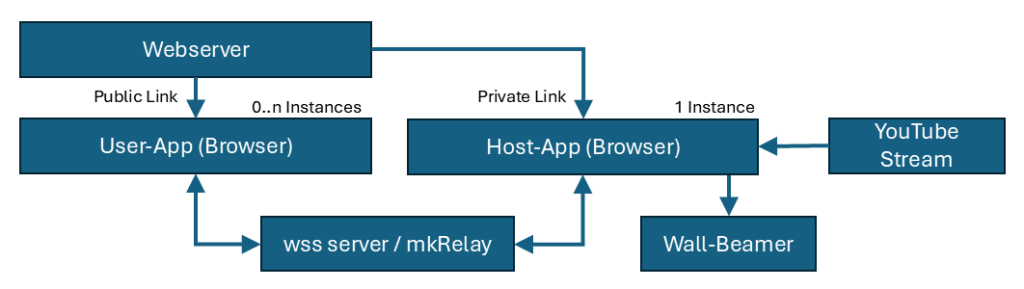
Godot has been selected to create the game’s “host” (the one that retrieves the youtube stream as backdrop, overlays the game gfx and is finally projected to a wall). Only one instance is needed, and we exported it as an “HTML5 Web Export” (game with transparent background, video stream placed behind the game via html/iframe edit).
How to create a transparent backdrop in Godot:
Change Project Settings:
(1) Rendering->Renderer->compatibility, (2) Display-Window->Transparent ON, (3) Display-Window-> Per Pixel Transparency ON
How to add a YouTube video stream to Godot WebExport:
Add an iFrame to the WebExport’s main html page (or, better, to a custom export template). Place it right before the Godot canvas element. Ensure the link does incorporate “autoplay=1&mute=1” parameters for autostart.
User-App
Same goes for the “user-app” (which runs on users’ cellphones for interaction). Again using Godot’s WebExport, so that users could access it via a QR-Weblink, and did not need AppStores and such. This is solely for user INPUT, as the game’s reaction would be seen on the wall.
Network
The input of 0..n user-apps needed to be considered. As network hub, we used my mkRelay, which is a basic WSS Relay Server for Godot. Both, “host” and “user-app(s)” (all running in browsers) would connect to the separate relay server. Definitely, latency had be expected.
The Game Idea
Due to the selected tech stack, any fast-paced game wouldn’t work. Also, it needed to be a concept that could handle several clients ingame.
User interaction should be rather limited, too (imagine you present a “creative” multiplayer game on a public house wall and passersby could e.g. write custom text there – oh oh).
So, for testing, it has been a “2D City-Run” game: Each user gets an avatar, needs to move it from start line to finish line with key strokes, and get a virtual reward when reaching the finishing line. A bit like the “horse derby race” automated games on Funfairs, which you might have seen…

(AI generated image)
Outcome
The created setup was operable and tested with up to 10 clients. It proved to be (mostly😋) stable, but showed quite some latency, as expected. Overall, we deemed the PoC successful.
For a real application, one should make backdrop and game more linked thematically (as an example idea, the stream could show a real-life crossroads, while the game operates cars in front layer).
Also, it has to be considered that the “host” app is a simple stream web viewer client and could experience advertising breaks from YouTube during the streaming (we did see this).